jt2qrtp29t-netizen/Cutline
仓库信息
| 项目 | 内容 |
|---|---|
| Stars | 9 |
| 主要语言 | Swift |
| 主题标签 | apple-silicon, avfoundation, color-grading, macos, macos-app, manim, motion-graphics, non-linear-editor |
| 创建于 | 2026-10-17 |
| 最近推送 | 2026-10-18 |
README(收录时快照)
A native video editor for macOS, written in Swift and SwiftUI with no third-party dependencies.
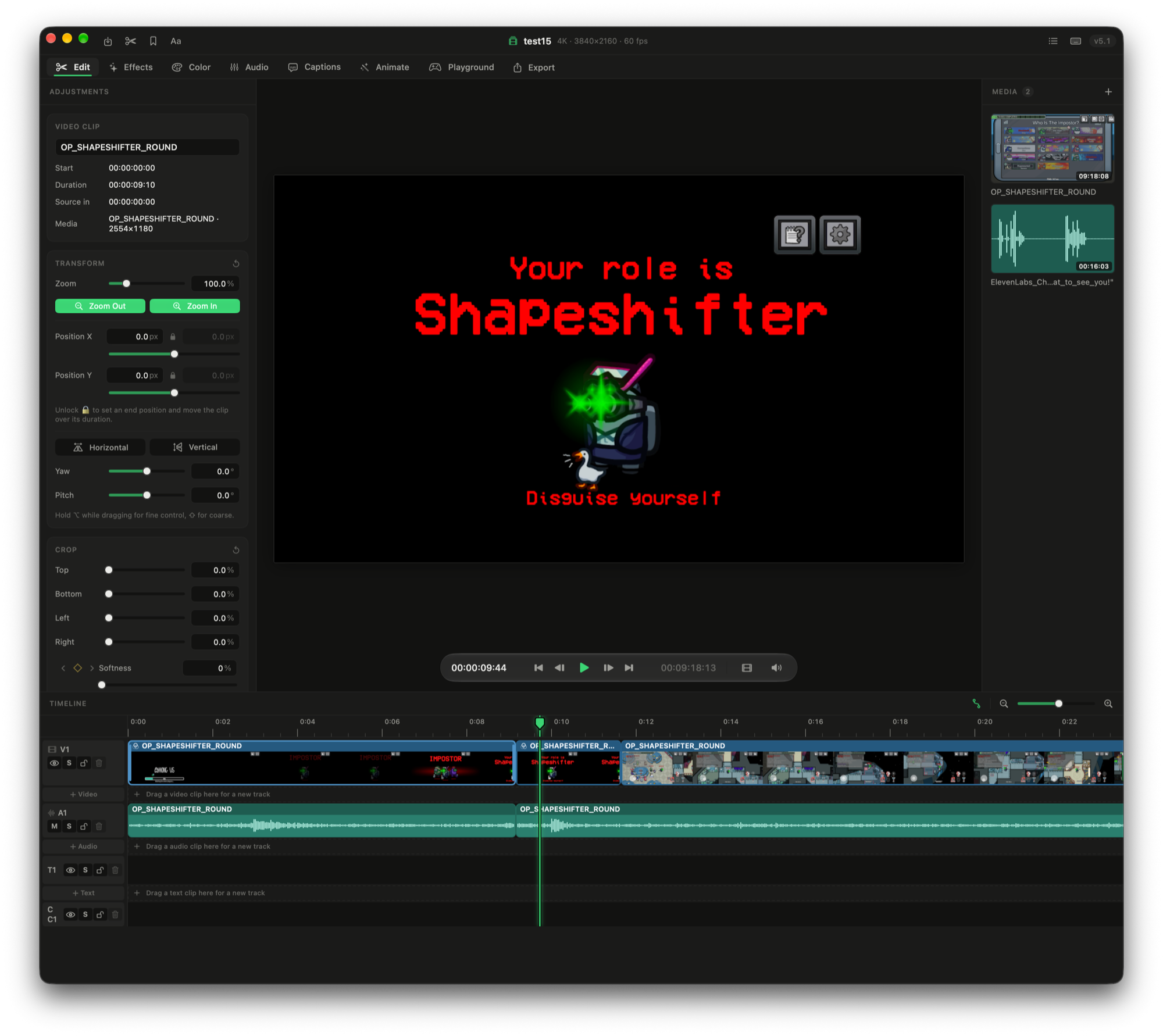
Get the newest version from Releases: open Cutline-X.Y.dmg and drag Cutline onto Applications. It needs macOS 27 on a Mac with Apple silicon.
On macOS 15 Sequoia or later, or an Intel Mac? Get Cutline for Sequoia (Cutline-Sequoia-X.Y.dmg): a separate Universal build with the same features, kept on the sequoia branch. It updates itself from Sequoia releases only.
Cutline isn't notarized by Apple, so the first time you open it macOS blocks it: click Done, then go to System Settings → Privacy & Security and click Open Anyway. After that, Cutline updates itself (Cutline → Check for Updates…), with no more Open Anyway.
<###>What it doesCutline is organized into tabs (⌘1–⌘8):
- Edit: a multi-track timeline with trimming, linking, locking, keyframes, speed changes and speed ramps (with frame blending and pitch-kept or tape-style audio), crop and transforms, and optimized and proxy media.
- Effects: animate any clip parameter with keyframes, and transitions between clips.
- Color: color wheels, curves, LUTs and scopes.
- Audio: a mixer, loudness metering, fades, pitch and ducking, with smooth, click-free scrubbing.
- Captions: on-device transcription (Apple's Speech framework) with word timing, editable transcripts, styled burned-in captions and
.srtexport. - Animate: animated titles and graphics made with Manim, either from no-code templates (titles, lower thirds, score bugs, counters, countdowns and more) or from your own Python scripts. They're rendered with a transparent background over your footage.
- Playground: a sandbox copy of your edit for trying ideas without touching the real project.
- Export: H.264, HEVC and ProRes 422 exports, plus Make Thumbnail, which picks the best frames with Apple's Vision framework and, optionally, a local AI model through Ollama. Nothing leaves your Mac.
- macOS 27 or later
- Xcode with the macOS 27 SDK (Swift 6)
Optional tools, run as separate programs on your Mac and only needed for their features:
- Manim for the Animate tab:
brew install cairo pango ffmpeg, thenpip3 install manim. LaTeX (for example MacTeX) is needed for the Equation template only. - Ollama with a vision model (such as
ollama pull qwen2.5vl:3b) for AI thumbnail picks.
git clone <this repository>
cd Cutline
open Cutline.xcodeproj
Then build and run the Cutline scheme in Xcode. From the command line:
xcodebuild -project Cutline.xcodeproj -scheme Cutline build
xcodebuild -project Cutline.xcodeproj -scheme Cutline test
Tests that need Manim or Ollama skip themselves when those tools aren't installed.
<###>SecurityFound a security problem? Please report it privately from the Security tab rather than in a public issue. See SECURITY.md for what's covered.
<###>LicenseCutline is free software, released under the GNU General Public License v3.0. You can use, study, change and share it. If you distribute a changed version, it must also be released under the GPL with its source code.